
PixExpose
1.3.0
Size: 8.95 MB
Downloads: 4476
Platform: Windows (All Versions)

Digital images are everywhere nowadays. That's because everybody affords a digital camera, as its price lowered, while its quality improved. That's why it's easy to take some beautiful photos. But a photo may lose its glow if it's not viewed correctly. I mean viewing it in the Windows image viewer, which is not the best idea, as this tool lacks a lot of features. The same goes for the Windows slideshow feature, which also lacks a lot of features. This is why a user should turn to software in order to view its images in the best way possible. A program that can help in this case is PixExpose.
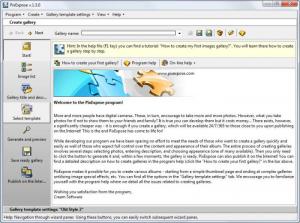
This is a Windows application that allows creating some outstanding image galleries using templates and publishing them online, for sharing the images with everyone. Being a Windows application, it's not difficult to install. The same can be said about using the software, as the interface is well organized in various tabs which represent the steps required to follow in order to create the photo gallery.
First of all, the user should add his desired images to the program. More images can be added at once and even complete image folders can be imported into the program, for saving time. After doing this, it's time to give the gallery a name and a description. After this, the user should select a template for the gallery. He's got many templates to choose from. Each template has an intuitive name for making it easier to find a certain image.
Having completed all these steps, it's time to save and preview the gallery, to make sure that everything is ok. After previewing the gallery, the user can save it in HTML format, for uploading on the web. This process can be performed either by using the program's interface, which includes a FTP client or by using any regular FTP client and uploading the gallery manually.
Every gallery project can be saved, in case one wants to modify it later on. Besides that, the user can create new templates from scratch.
Pros
It features some clear and simple steps for creating a new photo gallery. Besides that, it includes a lot of templates. Furthermore, galleries can be directly uploaded using the built-in FTP client.

Cons
The trial version displays a watermark on every photo included in the gallery. PixExpose is a software for creating some astonishing photo galleries, for sharing them online.

PixExpose
1.3.0
Download
PixExpose Awards

PixExpose Editor’s Review Rating
PixExpose has been reviewed by Jerome Johnston on 28 Mar 2012. Based on the user interface, features and complexity, Findmysoft has rated PixExpose 4 out of 5 stars, naming it Excellent







